Layered pixel editing
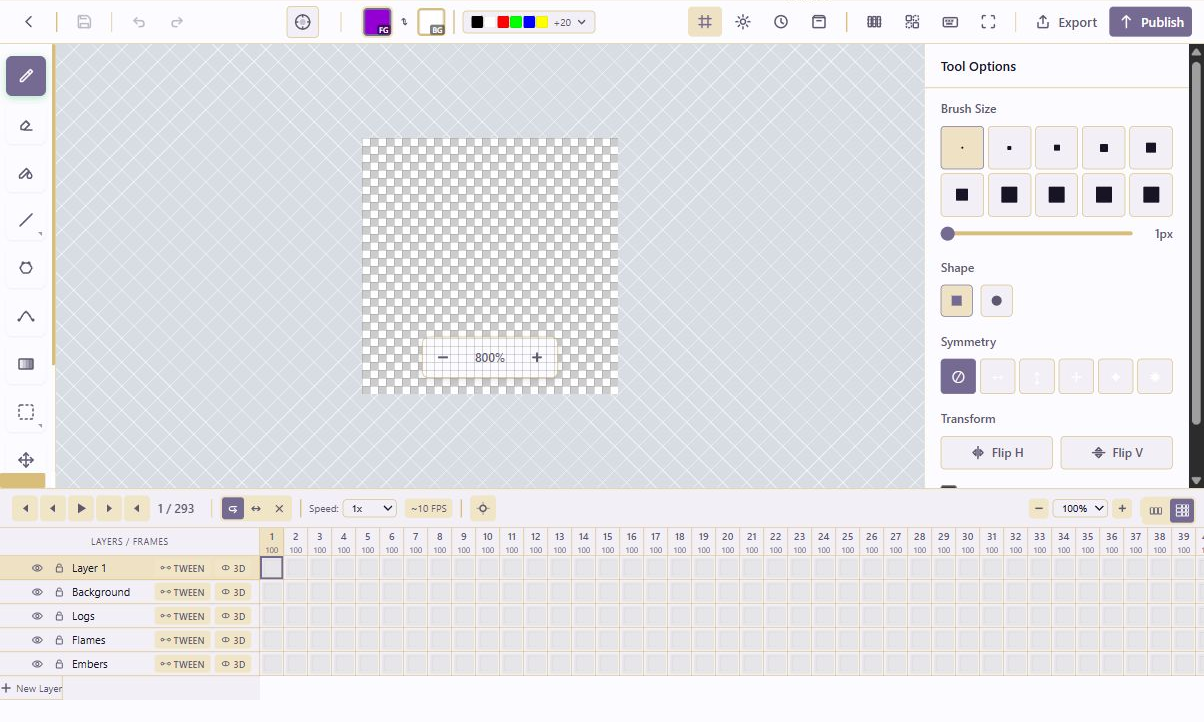
Build artwork with multiple layers, visibility controls, opacity, locking, and layer-specific frame cells so complex sprites stay editable.
A production-minded pixel editor for retro visuals, game assets, animation experiments, and branded micro-art.
Create sprites, tiles, icons, UI pieces, and frame-based animations inside the same service workspace that holds the brief, assets, approvals, and publishing history.
Build artwork with multiple layers, visibility controls, opacity, locking, and layer-specific frame cells so complex sprites stay editable.
Create frame-based animations with playback speed, frame durations, timeline rows, onion-skin settings, animation tags, and named sequences.
Work from a controlled palette, add or sort colors, use color ramps and harmonies, and keep foreground/background colors close to the canvas.
Use templates for icons, character sprites, walk cycles, tilesets, and game UI elements, then preview tiled patterns for seamless assets.
The module is wired for structured AI actions that can draw pixels, add layers, generate frames, edit palettes, and help produce small sprites.
Pixel projects live beside the rest of the service: assets, documents, pages, decisions, publishing, team access, and version history.
The module is built around the actual production loop: start a project, draw and organize the art, animate it, export it, and keep the asset traceable inside the service.
The editor centers the canvas while keeping the brush, shape, fill, selection, contour, gradient, symmetry, transform, and tiled-preview controls within reach. This makes the module useful for both tiny icon work and larger sprite experiments.
Frames are organized against layers, with duration controls, playback speeds, timeline zoom, onion skinning, animation tags, tween generation, and pseudo-3D rotation tools for building motion without leaving the workspace.
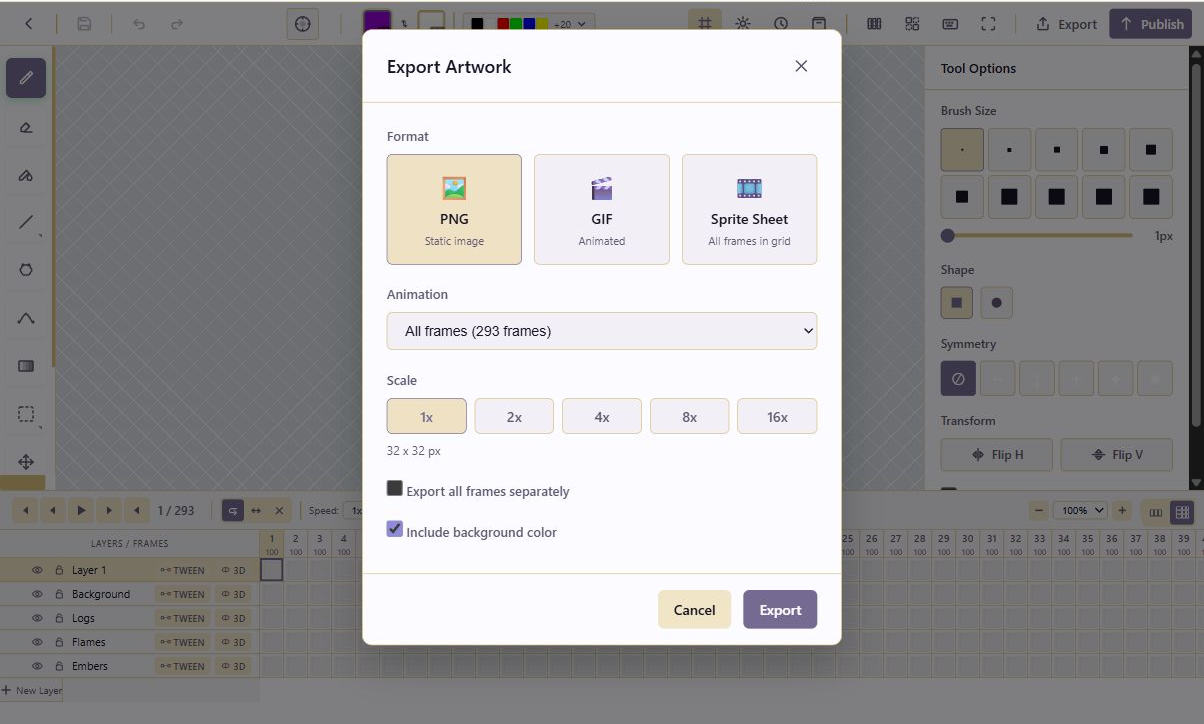
Finished work can move out as PNG, GIF, sprite sheet, or separate frames. Scale controls and background options make the output usable across game prototypes, documentation, pages, campaign graphics, and design handoff.
These are captured from the running platform so the promotional page can show the real Pixel Art Studio surface while the public story matures.
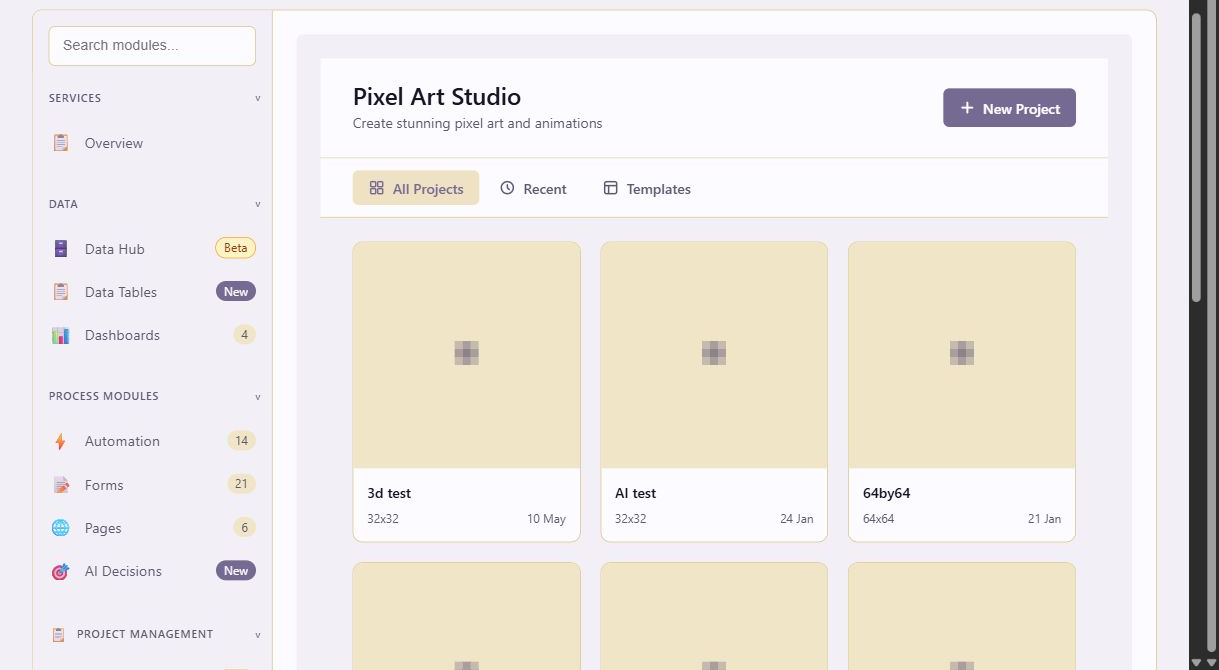
The first documentation page covers the module shape, core concepts, editing workflow, animation workflow, export behavior, and where the Pixel Art Studio connects back into the larger Lunapaper service.